Click Coach
- Year
- 2026
- Role
- Product design
- Platform
- iOS & Android
- Stack
- Figma, Claude, Figma MCP
Case study
2026
- / Mobile
- / UI/UX Design
Role
Product design
I designed a two-sided app where trainees find and book a coach, and coaches get verified and paid.
Click Coach is a marketplace app for sports coaching. Trainees search by sport, see coaches on a map with their prices, and book a session at a gym, at home or online. Coaches sign up on the other side, list their professions with experience and certificates, get verified, and manage their sessions. Ranks, points and partner rewards keep people training month to month.
Finding a coach usually means asking around, a few WhatsApp messages and a price you learn at the end. The app had to answer the first questions fast: who is near me, what do they charge, when are they free. On the other side, a coach needed a way to prove they are real without the process feeling like paperwork, and both sides had to want to come back after the first session.
Trainees
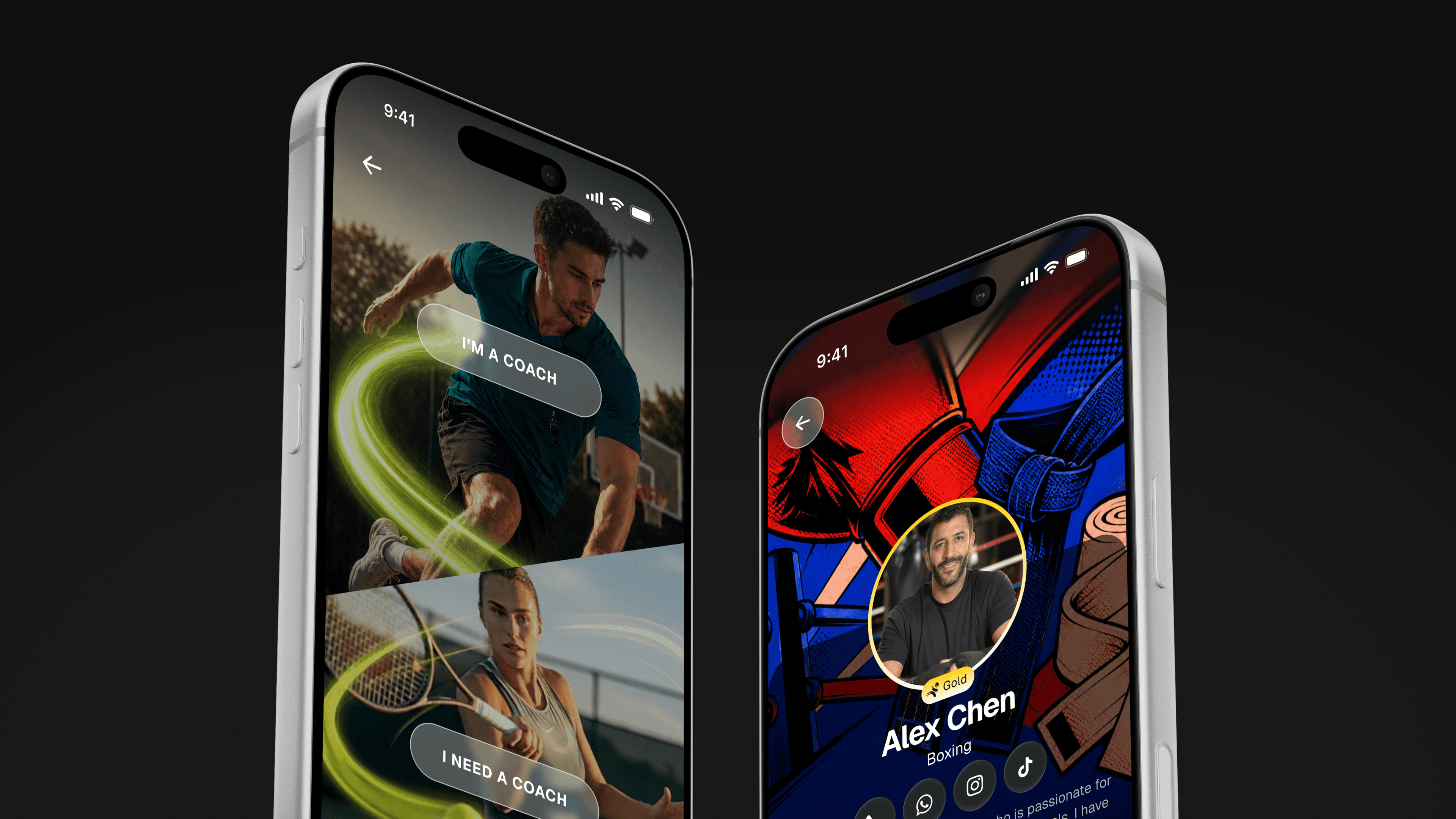
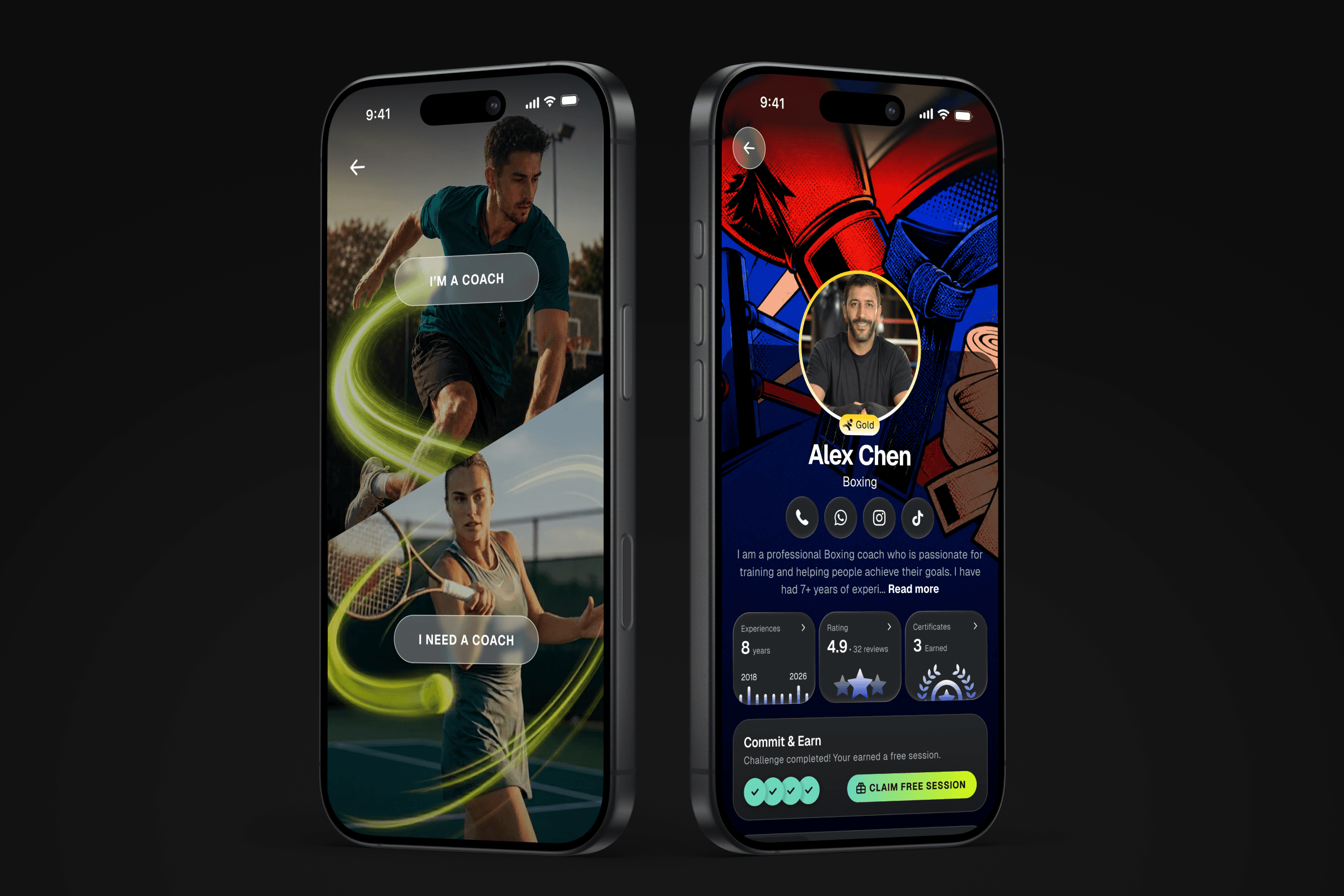
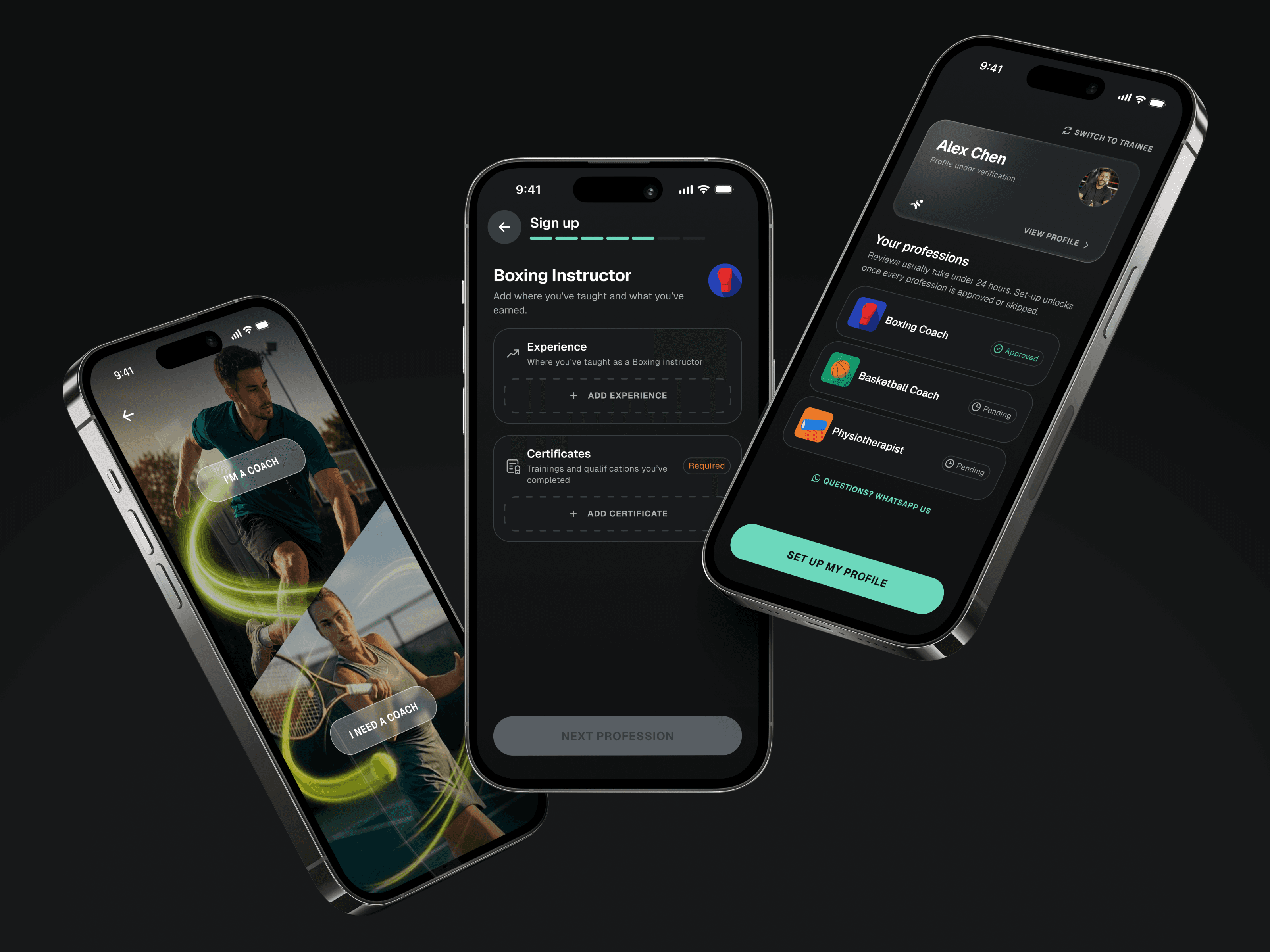
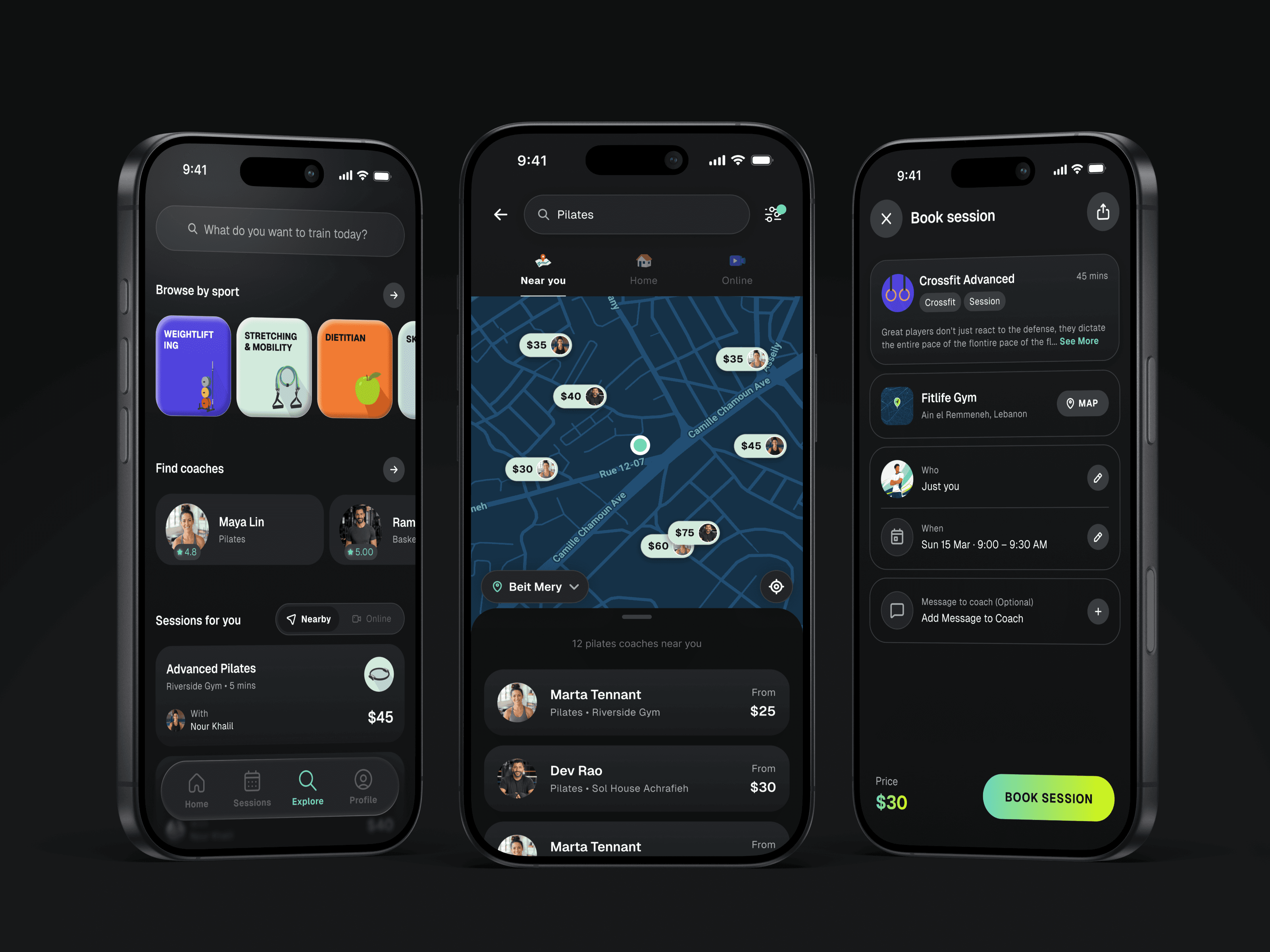
One app, two roles, chosen on the first screen. The trainee side opens on a search and a browse by sport, then a map with the price on every pin and Near you, Home and Online as the three ways to train. Booking is one sheet: who, when, a message, the price.
Coaches
The coach side is a step-by-step sign-up per profession, with experience and certificates reviewed before the profile goes live. Once approved, coaches manage their sessions, bookings and availability from the same app, switching between the coach and trainee views in one tap.
Reward system
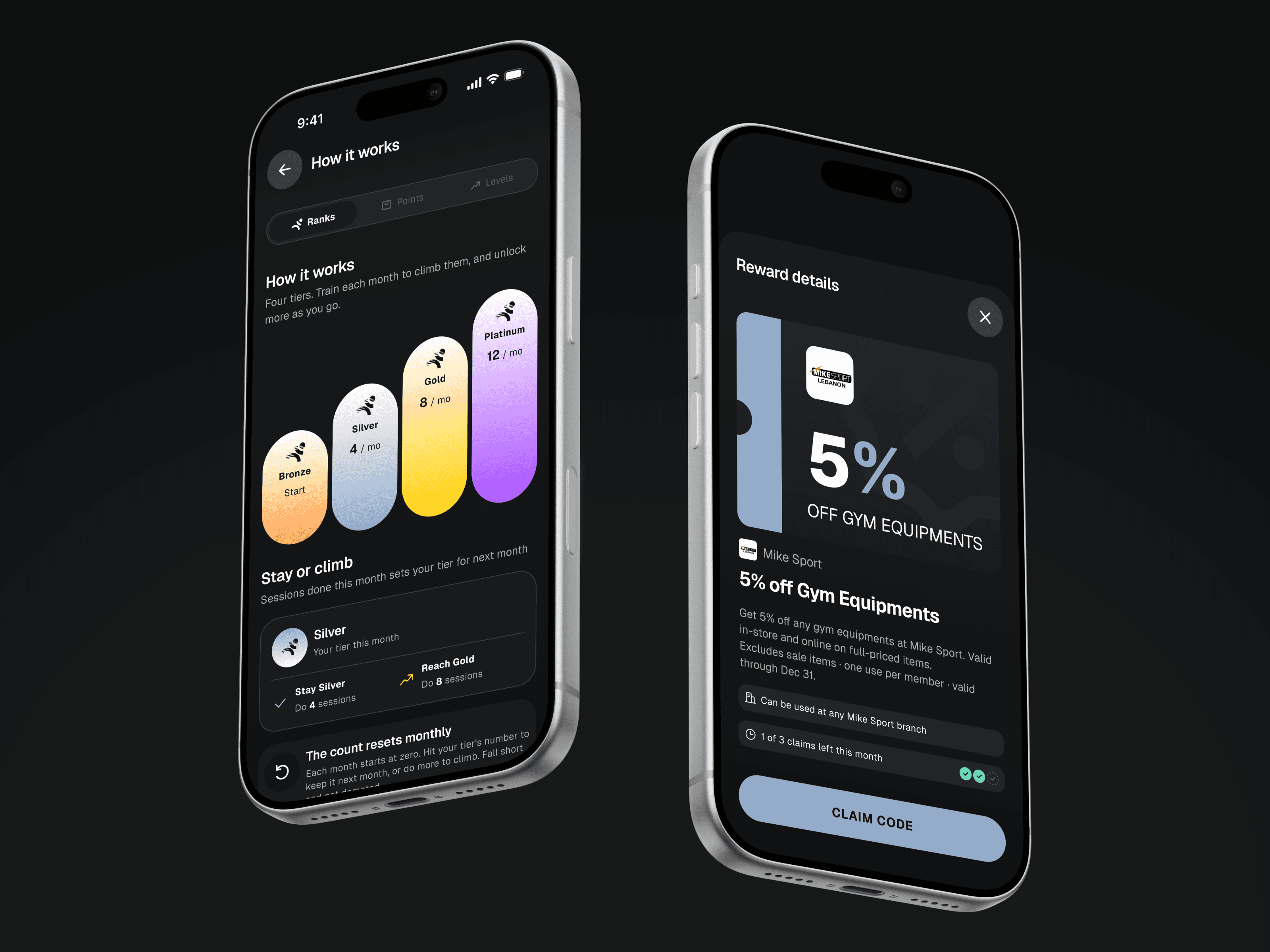
I designed the loyalty layer in three parts. Ranks: the sessions you finish this month set your tier for the next, and the app always tells you how many more to climb. Points: every session earns points to spend in a store of partner products, collected with a pickup code. Rank rewards: each tier unlocks partner vouchers with a monthly claim allowance. Coaches get a ladder of their own.
Process
The way we work is the same for every feature: I design the flows in Figma, spin up a working prototype with Claude the same day and put it in people's hands to test, then hand off to development through the Figma MCP so what gets built is what was tested.
I delivered the full design for both sides of the app: onboarding and verification for coaches, search, map and booking for trainees, and the ranks and rewards layer on top. All of it sits on a design system I maintain, tokens, components and usage rules, kept clean and consistent so it scales with the app and reads correctly to Claude through the Figma MCP when we generate code from it.